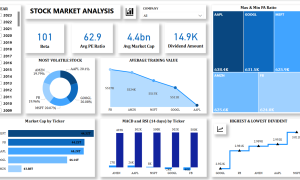
Both Power BI and Google Looker Studio are powerful business intelligence tools with their own strengths and weaknesses.
Power BI is a robust and comprehensive platform with a strong emphasis on data modeling, advanced analytics, and enterprise-level features. It boasts a vast library of pre-built connectors, allowing for seamless integration with various data sources. Power BI’s strong data modeling capabilities make it suitable for complex analyses and large-scale deployments.
Google Looker Studio (formerly Google Data Studio) is known for its user-friendly interface and ease of use, making it a popular choice for those with limited technical expertise. It excels in data visualization and creating interactive dashboards, particularly for marketing and sales teams. Looker Studio’s strength lies in its simplicity and ability to quickly connect to various Google services, such as Google Analytics and Google Ads.
Here’s a table summarizing their key differences:
| Feature | Power BI | Google Looker Studio |
|---|---|---|
| Data Modeling | Advanced, with strong data modeling capabilities | Limited data modeling capabilities |
| Data Connectivity | Wide range of connectors | Strong integration with Google services |
| User Interface | More complex, requires some technical expertise | User-friendly and intuitive |
| Analytics Capabilities | Advanced analytics, including AI-powered insights | Primarily focused on data visualization and reporting |
| Scalability | Highly scalable for large enterprises | Suitable for smaller teams and individual users |
Which one is more reliable?
Both platforms are reliable and widely used. The choice depends on your specific needs and priorities.
- Choose Power BI if:
- You require advanced data modeling and analytics capabilities.
- You need to integrate with a wide range of data sources.
- You have a large team or enterprise-level needs.
- Choose Google Looker Studio if:
- You prioritize ease of use and a user-friendly interface.
- You primarily need to visualize and report on data from Google services.
- You have a smaller team or limited budget.
Ultimately, the best way to determine which tool is right for you is to try both platforms with your own data. Most providers offer free trials or free tiers, allowing you to explore their features and capabilities firsthand.